Apex Legends · Loot ESP
Apex Loot ESP — Manual, Rarity & Mixed Filters with Per-Category Toggles
Apex loot is dense — every POI has fifty floor items and only a handful matter. RageByte's Loot ESP gives you three filter modes (Manual, Rarity, Mixed) and a full per-category toggle list for meds, shields, every weapon class, attachments and ammo packs.
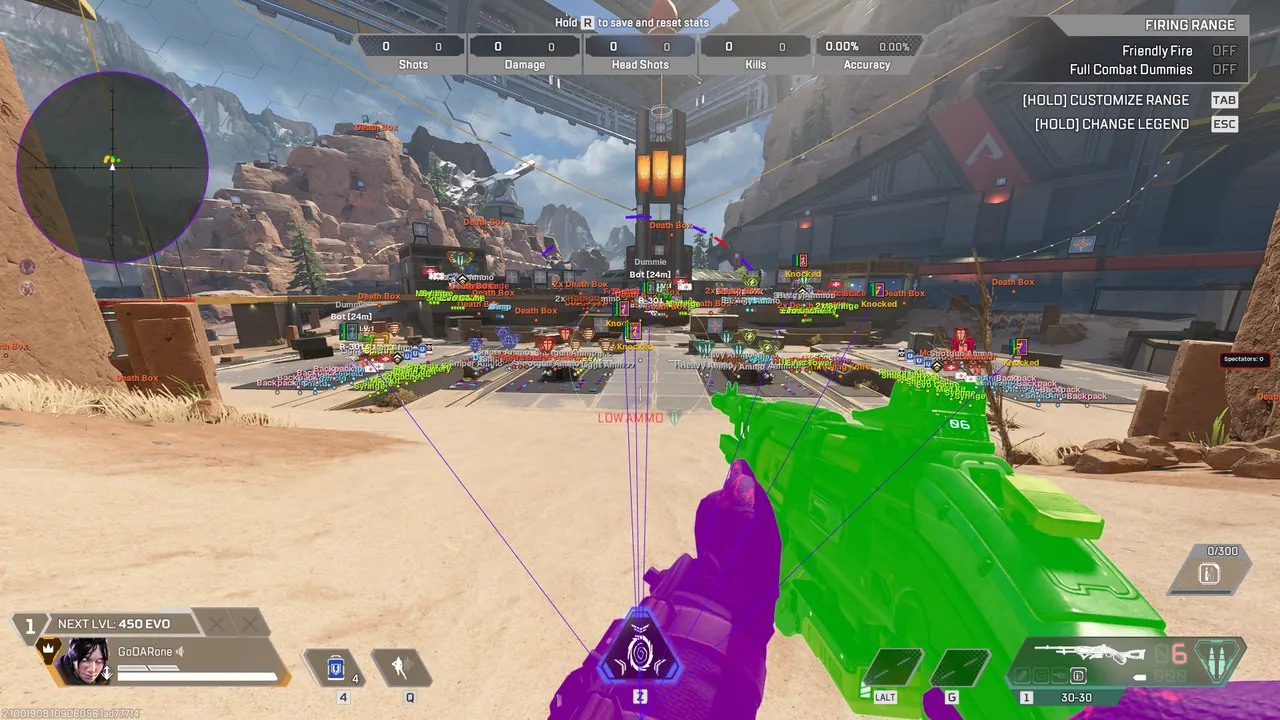
- Filter Mode: Manual / Rarity / Mixed
- Show Circle, max loot distance, stack angle, stack min distance
- Per-category toggles: meds, shields, backpacks
- Weapon classes: Light, Heavy, Shotgun, Energy, Sniper, Special
- Attachments, grenades, ammo packs (with their own types and color)
- Death-box ESP so squad-wipe loot stands out instantly
Confirm the current product state before each session.
Eligible orders are delivered through the customer dashboard.
Review platform and hardware requirements before checkout.
Manual vs Rarity vs Mixed
Manual mode gives full control — toggle each category on or off individually. Rarity hides everything below your chosen tier, ideal for late-game where only purple/gold matters. Mixed combines both: you set a base rarity floor and then force-show a few specific categories (e.g. show all backpacks regardless of rarity).
Per-category control
Every weapon class has its own toggle — turn off Light if you've already got an R-99 with stacked ammo, leave Energy on while you hunt for a Volt. Attachments, grenades and ammo packs each have their own colors so you read piles at a glance instead of zooming in to identify icons.
Frequently Asked Questions
Review notes and sources
Reviewed by the RageByte product team on . This supporting page is checked against the current product page, checkout options, status information and publisher documentation. Send corrections to [email protected].
Primary reference: EA Apex Legends news. Third-party software can violate publisher rules and lead to account or hardware penalties. A status label records a current check, not a guarantee against future detection.
Before checkout, read the refund policy and privacy policy.
Explore the Apex cheat hub
Related guides on Apex ESP, aimbot and pricing.
Pricing, plans and instant delivery for our private Apex build.
Undetected Apex aimbot, ESP and ranked-safe configs.
Marvel Rivals cheats FAQ — anti-cheat, ban risk and RageByte's current stance.
Humanized aimbot with drift, tremor, speed-noise and FOV control.
Player, loot, shield bars, spectator list, radar and chams.
Custom-positioned 360° radar with max-distance and team color.
Review the current product options
Confirm compatibility, live status and purchase terms before checkout.